The quickest way to get set up is to follow the onboarding steps that we've setup in PipeToChat.com.
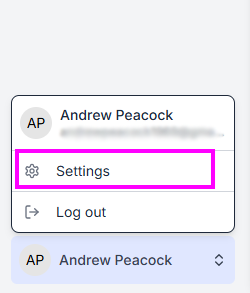
If you need to re-run the onboarding, you can do so by your user menu in the bottom-left of the PipeToChat app, then Settings:
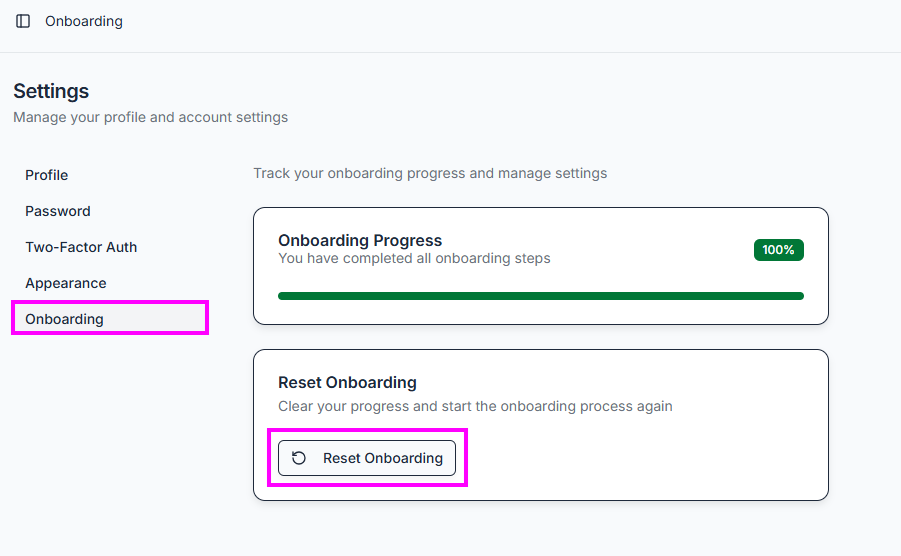
Next, click Onboarding followed by Reset Onboarding, as shown below.
Then return to the Dashboard where you'll see the onboarding steps.
Was this article helpful?
That’s Great!
Thank you for your feedback
Sorry! We couldn't be helpful
Thank you for your feedback
Feedback sent
We appreciate your effort and will try to fix the article